Evangelion 2.22 – You Can (Not) Advance
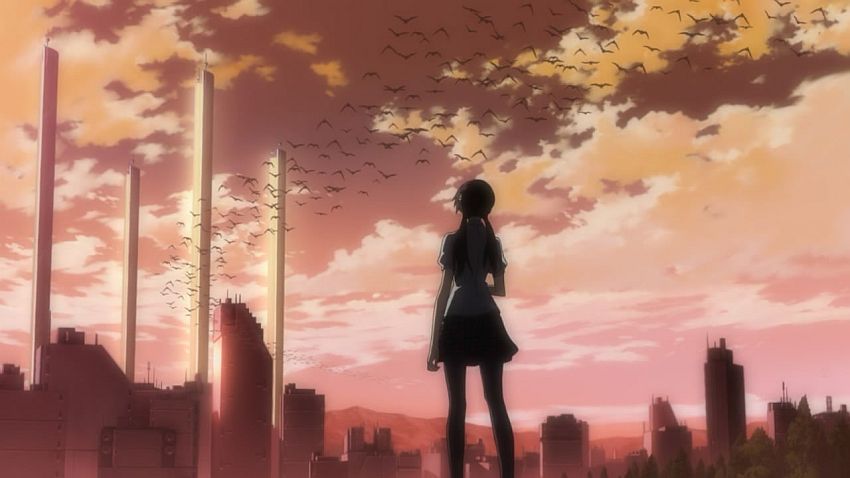
DOWNLOAD H.264 1080p: [UTW-THORA] Evangelion 2.22 – You Can (Not) Advance [BD][1080p,x264,DTS-ES][8B521921].mkv
DOWNLOAD H.264 720p: [UTW-THORA] Evangelion 2.22 – You Can (Not) Advance [BD][720p,x264,AC3][BC72ACE1].mkv
DOWNLOAD XviD 400p: [UTW] Evangelion 2.22 – You Can (Not) Advance [BD][400p,XviD][C0DE50B6].avi
DOWNLOAD Script: [UTW] Evangelion 2.22 – You Can (Not) Advance [ass+fonts].zip
DOWNLOAD Patch: [UTW-THORA] Evangelion 2.22 – You Can (Not) Advance [Patch].zip
No MU links because lol uploading 10GB on Megaupload. Remember, you can always grab the releases off our bots in our IRC channel (which you should be lurking in), too.
Joint with THORA, translated (from scratch) by yours truly. I actually had the script done the day the BD came out, but there’s a lot of work that goes into subbing a two hour long movie. The encoding also took a few days to finish. It was pretty cool though, final QC was completed shortly after the 1080p encode was done.
I hope we didn’t lose too many first-time viewers of this movie, but either way I think I can safely say this is the version you’ll want to archive. Enjoy!
EDIT:: Three things.
1) If you experience any playability issues, use MPC-HC with CCCP. This is the only setup that we guarantee will play without problems, notwithstanding hardware/CPU issues.
2) We have only one release bot, and she is getting pounded on hard. If you could spare a bot or two to help us distro, please contact me (Raze) in our IRC channel.
3) Typo fix patch released; the link has been pasted above. The patch fixes only the 720p or 1080p versions. Be sure to read the readme before using the patch, or risk having to redownload all those gigs again. The version of the patch deletes your original file: prevent that by either first making a copy of the original video in case something goes wrong, or using the DDL version of the patch. Alternatively, you can simply download the latest script, rename it with the same filename as the video, install the fonts included, and the subs will load.
Just to clarify, THORA’s version is exactly the same as ours; it’s just named differently. The patch will work on THORA’s version if you simply rename the file as directed in the readme.

DOWNLOAD XviD 400p: Coming soon…
ME LOVE YOU LONG TIME
Nice Job. Thank you
awesome…luv u guys..
waow, i’m surprised…
you’re awesome, thank you for this release
This torrent is going to take forever.
Thanks guys! Awesome work.
im having some problems it keep saying im over my size limit im using bittorennet what other program should i use
Very nice, thanks for this. I’ll be taking the 1080 version. I was waiting for a THORA release for my first viewing and glad to see you and them joining for this project.
Be sure your hdd isn’t formatted in fat (limits to 4GB). As for the torrent program, utorrent is a good client.
You guys are awesome 😀
and i so badly want to see it
You can also wait for the XviD
The subtitles (the ones from when someone is speaking english) are hard to read. Such bad font, spaces between characters and pure white color on sometimes white background… And are getting half of the screen for themselves.
Better to not have them there at all. But then, non-english speakers(like me) would not understand.
I love you guys!
Thanks being waiting for this
UTW-Thora = WIN
Little correction to my previous post: Happens only in linux/mplayer. In windows/cccp font is fine.
…Not a fan of Thora, but you guys are great so I’m going with this release. Thanks Raze.
Summer Wars and now This?! You are certainly making the name for yourself. Keep up the good job.
P.S. I’ll be taking 720p.
I already downladed 2 or 3 version to see witch one was better, when i saw this post, i errased them all, “this is the best one”, if i knew you were doing it i could just wait for it…
does this have cancer karaoke shit?
I appreciate the 400p XviD
Are you gonna sub first movie? It’d be awesome to have all movies subbed by one group
Thanks a lot for the translation. I like your work on Angel Beats, so this is the version I was waiting for. 🙂
Small mistake at 7m,58s where you forget an honorific. “Well, Shinji” should be “Well, Shinji-kun”.
Like Zotov says, wow summer wars and now eva 2.22.. what’s next? Break blade vol 1 ;)? and don’t worry about v2’s, your far away from the king of the “n” versions : Mazui
I’ve heard that all releases so far have only stereo audio, is that true? Well at least in your release?
@boingman that’s not true. You don’t have to add honorifics to Japanese names when translating. There’s no such postfix as “kun” in English, and the persons name is Shinji. If they used honorifics in whole subtitles and this one time they ommited it, then it can be counted as mistake…
@serek
All the BD releases so far have been surround sound, including UTW-THORA’s release. Also, they did use honorifics everywhere else, so it was a mistake.
Thanks for the release! This release doesn’t have a comment section of its own up at THORA’s site yet so I can’t post there as well. Anyhow, don’t worry about “losing first-time viewers” due to not being the first group to release. I think anyone who gives a damn about quality was already waiting for THORA to release this. I downloaded two versions prior to this but I didn’t want to watch them since THORA had already announced that they were going to do it. This joint was a surprise for sure, but a good one. Both versions I downloaded earlier were full of name-butchery (incorrect name order and omitted honorifics) which is why I would never, ever, watch them. 2 days ago I had a couple of friends over to watch the movie but a few minutes in, when we noticed said name-butchery, we all agreed to turn it off and wait for a decent release. Thanks for employing a good, sane subbing policy, it really means a lot.
Losing viewers? pttf, when I downloaded Wiki’s release, I fully intended to replace it with Thora’s. Having you guys partner with Thora made my day, as I love your translation of Angel Beats.
Thou I must say, now that you’ve partnered with Thora my heart wishes you’d partner with them again… The Tenchi Muyou! Ryou-Ohki OVAs could really benefit from a complete retranslation, Since Pioneer did such a poor job on them. But I doubt that’ll ever happen. *sigh*
10 Gigabites? Oh dear. This is a hard drive DESTROYER up there with School Days.
Cool, there’s gonna be a 480p version. More love to you guys!
ahhh, my computer is too low-power for your HD foolery… ;_;
<3
hopefuly the XviD comes sooon
Sweet. I watched the Wiki subbed but I’ll re watch again so I can actually have an awesome quality subbed movie.
I’m also looking forward to the XviD release.
Started the download for the 1080p version~
Now im going to school 😛
Download should be finished when im back~~~~~
woot
Wheres 480p… (or 400p if thats your cup of tea i guess)
SwitchBladeZ, it’ll be up in the next day or two.
Does anyone know if the 1080p version DDL on http://64.120.8.11/Anime/ is legit?
It seems that the only difference is the audio output. It says FLAC rather than DTS-ES. Thanks.
It’s unofficial but it’s legit. It’s a cryptw (commie encoder) release. He decided FLAC > DTS-ES so he did a mux with that~ If you prefer FLAC over DTS-ES then by all means grab that.
__ar, thanks for the explanation. I was really worried about downloading 11gb, only for it to be something other that Evangelion 2.22
I don’t know the difference between FLAC and DTS-ES, just preferred DDL.
Thanks for subbing this =)
You have my undying gratitude.
The FLAC version might be broken, it’s not working for me at least. I’ll let u know once i grab the DTS-ES track and mux it back in, in case my file is broken somehow, though it shouldn’t be.
Let me get back to you guys in 30-40mins.
__ar, Thanks for checking it out.
Anyway as it stands DO NOT DOWNLOAD THIS VERSION:
[UTW-THORA-FLAC] Evangelion 2.22 – You Can (Not) Advance [BD][1080p,x264,FLAC].mkv
The FLAC IS BROKEN. So until it’s fixed don’t bother wasting your bandwidth on it. It wasn’t checked when it was done, so the guy who done had no idea it wasn’t working either.
If by some miracle it does happen to work on certain setups, you’re lucky but it can’t be assumed it will work simply because, if I have to screw around to get it working then IMO it’s not working right and that’s that.
What about the FLAC version is broken? Only had the time to check the beginning, but that was fine.
in after VLC-fail :3
boingman, if you have time, please check whole movie if its working or not. thanks 🙂
boingman, it was broken for me, but that’s not to say it’s not 100% working. Just in some configs it might not be working. That’s why I don’t recommend downloading it, but if it’s working for you that’s fine. I rather people not download 11gb and then have to redownload it again because of problems.
__ar, Thanks for checking… downloaded and wasted 3gb. Thank goodness it wasn’t the whole 11gb.
10GB??? wow, thats big when you guys are releasing the SD version?
Please guys can you release a 480p version as well? I know you’re gonna release an XviD 400p but still it would be great.
is the audio translation or is it just a sub?
Thanks so much for this release, guys. I’ve been waiting years for this film, quite literally, and your version looks fantastic. Thanks even more for the upcoming XviD version: it’s nice to have a version I can put on my Xbox and play in a social setting, instead of my friends crowding around my desktop.
Is there MU link for 1080p version? I hope somebody uploaded that 10 GB file on MU.
thank you so much, i was eagerly waiting for this!
10 Gigabytes are no problem for my new harddrive xD
But i never torrent something before so i wait until the XviD 400p comes out^^
Thank you. This was a great surprise this morning to see. And lastly xvid/avi sucks!
the 720 version seems to be an invalid torrent.
I dunno who you guys are, but THX!
XviD will be up in 5-6hrs. Going to take me 4 hours to upload it, then it’s up to the distro guys to do their thing~!
Both videos (1080p and 720p are invalid) every time I download it or torrent it, I open it up when it finishes, but when I go to play it, no video shows up and all I get is something along the lines of static for both videos. I request that this problem be fixed. No rush, take you time and thanks in advance.
How many more hours until the 480 version:)?
Will It work well?
…And The Search Is Over 🙂 Thanks UTW
I am overcome with the urge to bear your children. Thank you gentlemen.
Haha awesome job guys for this 10 gigs its worth it
The 400p version! Now I can finally watch it without my computer lagging like hell. Great Job UTW and THORA. Thanks for your work.
Thanks For the upload of this, friends and i have been waiting so long to see it. good work.
I tried it, but all it says is “Cannot render file”
I use CCCP and its worked with everyother video I DL, so why not this one?
I’m talkin 720p btw
Whats the screen size/resolution on the 400p avi?
Mine’s Works Just Fine.
720p anyway. i download it when it first came out
@ forge – use newest nightly of MPC-HC from here http://www.xvidvideo.ru/
Anonymous, 704×400.
Will you also be doing 1.11 You Are (Not) Alone?
No, as THORA have already done it. http://www.thoranime.org
seed assholes
Just a quick note on subs; so far they look great. However, quick note that the Arctic/Antarctic base in the opening is the Bethany base (you can read it on the screens during Eva-05’s bootup sequence). In the subs, Kaji calls it “Betania.”
Blargh, sorry for the double post. Fuyutsuki thanks Kaji for the info on Eva-06. As far as I’ve seen, anyway, if you fully spell out mark, the period’s unnecessary. It’s only used if you abbreviate to Mk.
will you guys do a SD of Evangelion 1.11 ??
Three minor typos I noticed:
00:25:29 – “An world cleansed of the original sin that no man can enter.”
00:45:53 – “An eulogy to the endless cycle of days.”
01:23:50 – “That’s why piled my own feelings and hopes onto you.”
Could be get some patch for minor sub fixes like those reported?
The font for the english part could also use a bit of shadowing when set against white background for readability.
@Warwick: For terms and place names, I followed what was given to me in the Japanese script that was included in the BD. The lunar base was called ???? (quite literally “Betania”); similarly, Mark. 06 had the period at the end of “Mark”, hence my leaving it in. I’d like to take a look at a screenshot showing that the lunar base is indeed called Bethany before deciding, however.
@Fadeout: Yes, there will be a patch (for the 1080p and 720p versions) to fix those errors. As of now, I’m waiting for more error reports via email; I will probably wait a couple more days before releasing the patch. Unfortunately, fixing the subs in the 400p XviD will require a complete re-encode, and thus it is unlikely the 400p will get a V2.
The team was also aware that the white Engrish subtitles can get difficult to read when the background becomes whiter. However, the reason we did not already have a slight border or shadow is, if you notice, the Japanese hardcoded subtitles themselves didn’t have a border or shadow, either. Putting a border or shadow on the Engrish subs would make it look out of place instead. The Engrish subs may be hard to make out, but they should still be readable.
This movie was amazing, Thank you for doing the subtitles and uploading it…
Man this is gunna take a LONG time to download. Anyone using opera that knows how to speed this up?
also, is the 780p supposed to be only 4.4 gigs?
The 720p is supposed to be 4.4gbs, yes.
Dialogue: 0,0:09:11.82,0:09:14.65,eva,Nerv guy,0000,0000,0000,,The Seventh Angel has been detected off the coast of Sakami Bay.
Dialogue: 0,0:11:19.65,0:11:23.41,eva,Lady,0000,0000,0000,,{\i1}Currently, EVA Unit 02 is being\Ntransported via Route 1 from Sagami.{\i0}
I don’t speak Japanese, so I’m not sure if this was intentional, but shouldn’t these be consistent?
Thanks so much! 720p is looking sharp
Are the links not working for anyone else? They’re dead links for me 🙁
Thay are dead for me too 🙁
Open to interpretation given how crap Kaji’s engrish is, but
00:02:12 – “the analysis pulling a permafrost extraction”
I’m not sure here, but I think “pulling a” sounds more like “following the”, which would also fit the sentence a bit better.
I’ve found this magnet links for the 1080 version:
magnet:?xt=urn:btih:dbeb37c3cefdd6da77efb01d3bad76bf02acc93b&dn=utw+thora+evangelion+2+22+you+can+not+advance+bd+1080p+x264+dts+es+8b521921+mkv&tr=http%3A%2F%2Ftracker.publicbt.com%2Fannounce
Seemms to work 🙂
How come you guys aren’t posting them in your video section like before, much better access without and problems.
I’ve watched 720p with KLMC 6.00 on Win7 RTM just fine. Thank you very much.
That white subtitle really annoying.
A few year ago, fansubber can create small file while maintains quality (which I can’t duplicate their technique).
But nowadays, why everything so big?
In the minute 34:17 the correct is “Next, 1072 to 1078” no “Next, 1027 to 1078”
Kucing: a few years ago, there were no Blu-rays to rip from. The files are larger because the image resolution is higher.
These links keep giving me a torrent of Moulon Rouge soundtrack >.<
so could you also make an SD of Thora’s 1.11 release?
Greetings i download the bit torrent file sucessfuly but it wont play on VLC mediaplayer that basicly open all the files i mean it does play but it go rly slow it lags a lot i tryed also to download the thing u suggested but still the same thing the audio laggs : ( any suggestion?
Yay 100th comment and imo I don’t think you should have made an XviD for this D: it’s a waste of time really >_< but thanks for teh movie xD
Use MPC-HC and stop using VLC.
darkpaladin, no ask Thora. Eva 1.11 isn’t our release nor do we have the BluRay to make a SD encode from.
This might’ve been commented on already, but using MPC-HC Without CCCP is a better option if you have a video card that’s newer than 5 years old or so. CCCP uses ffdshow, which uses ffmpeg which hasn’t been updated in like 4 years, and it doesn’t support hardware decoding, which means all of the rendering is done by the CPU, and unless you have a really monstrous CPU the 1080 will likely lag, even if only a little. Without CCCP installed MPC-HC will split and decode h.264 mkvs by itself using your video card rather than your CPU, which lets 1080 mkvs play lagless and without killing your compy.
i still tryed using the video goes ok but sometime the audio goes off anyway….
my videocard is pretty new aswell i mean is not the best but it dosen’t suck is a 9800 GE Force so i don’t really know what’s the problem il try to redownload it again or something i tryed almost everything that is written in here
does the 720p patch file have some errors in it? i noticed that there is an extra space between “advance” and the bracket symbol. also is it supposed to be using the EVA2_1080p.xdelta file or the EVA2_720p.xdelta file?
Sorry, that was a mistake on my part. Patch fixed.
Raze, do u mind if I host it privately (streaming)? it’ll be streaming from my CDN, not on youtube or anything…
Patch link don’t work
patch link not working.
Fixed.
I ran the patch and it just deleted my video and quit. New video version is not created in directory
they made a little goof in the .bat file for 720p, the xdelta it calls for is the one for 1080
anyone knows exactly what has been edited?
Deleting video files? Sounds scary, can I just have the updated scripts instead please?
xgraphy,
The updated .ass is in the script link!
Does the patch also work on the inofficial 1080p FLAC version?
I’ve already fixed your awful typos by myself the day both versions were released. THORA > UTW. Please don’t ruin any more releases.
@ouzakris
ffmpeg is being constantly updated. You are confusing ffdshow with ffmpeg. It’s true that the original ffdshow isn’t being updated anymore, but that doesn’t mean that ffmpeg isn’t being updated. And there is a newer version of ffdshow which is called ffdshow-tryout. It uses the latest ffmpeg and on the latest version it has DXVA decoder (for hardware video acceleration). You may ask why there are 2 version of ffdshow.. IIRC, there are people that want to improve ffdshow, but the original creator can’t be reached, thus they are making ffdshow-tryout.
for info on ffmpeg, you can visit ffmpeg.org
for info on ffdshow-tryout, you can visit ffdshow-tryout.sourceforge.net
i tried using the patch for the 720p version and it literally look .1 seconds to fix. I picked up the release from one of thora’s bots and was wondering if i did anything wrong. Also is there a way to check to see if the patch worked?
New file name should be [UTW-THORA] Evangelion 2.22 – You Can (Not) Advance [BD][720p,x264,AC3][CE8CA124].mkv
fck i dled the patch and then patched it but it deleted the file and no v2 in my files… FCK DLing again D:
just delete the last part in the patch_720p/1080p”.BAT” (any editor work wordpad/editor what ever)
for example just delete:”del “[UTW-THORA] Evangelion 2.22 – You Can (Not) Advance [BD][1080p,x264,DTS-ES][8B521921].mkv” ”
when you patch now the old data will not be deletet any more you have to do it by yourself . but you can’t hurt yourself anymore 🙂
wwwwhat’s up? A patch? It never happen to THORA. Now why?
@ Frans – he is talking about that all you need is MPC-HC, not outdated CCCP… 🙂
@ wr3162 – why not ? also for fixing some mistakes… ;p
Sorry about that bad patch, guys. I feel absolutely horrible that some of you had to redownload the file.
That’s the last time I’ll be using the del command in a patch (at least, without an “if EXIST” command). Of course, making sure the typos aren’t there in the first place is best, and I will try very hard not to drop the ball again.
boingman,
No the patch won’t work on the unofficial version, nor do we plan to support it since it’s not our work and it was done without our consent (not that you need it but we won’t support a version that was done independently either). Your only bet is to download the script from the link and remux the updated script in yourself.
Yo UTW. Just asking cause I’m not sure, is there any difference between the version here and the version on Thora’s website because your’s came out two days earlier.
Nope, they simply not update their site that fast…
Will you create a v2 torrent?
Okay, redownloaded video, redownloaded patch, ran it. took a while but it made the new video file. But for some reason my comp’s hella slow now……
Thanks Raze for your work.
HOLY SHIT, just watched the movie and… HOLY SHIT,
thanks a lot for your work guys, you are AWESOME!!
Hi, thanks for the download and subbing. I was wondering DO I HAVE TO download the script or it that just some kind of extra?, and are the torrents fixed as of now, or DO I HAVE TO also get the patch?
Sorry for the late reply. Here’s the screen with Bethany base spelled out. Lower-left corner, says LINK: BETHANY BASE CMD CENTER, CSYS*. Plus, according to Wiki, Bethany is a biblical reference, too.
http://img718.imageshack.us/img718/6757/eva222bethanyscreen.jpg
Sorry about being anal. I just like to read signs and computer screens to see if there are any hidden easter eggs.
If I’m not mistaken, “Betania” is the proper Japanese for “Bethany.” So in effect use of either romanization would be correct.
so what to you recomend for x32 users, it wont render, and the updates for xvidvideo wont work =P
“First time watching” here. Damm, i’m tired of redownloading it again! Please help! Is there any Ready to watch video here?
Has the avi version been re-done for typos? If not, I really don’t mind.
It will not be redone, but honestly the typos are minor.
^_^
@ouzakris
See -> Frans.
Current stable release of MPC-HC r1249 (28-08-2009)
in CCCP stable 09-09-09 = r1264 (31-08-2009)
Current sta… i mean beta release of
ffdshow-tryouts is beta 7 (14-02-2010)
-dunno exact rev. but not newer than Revision 3268-
in CCCP stable 09-09-09 = r3065 (29-08-2009)
@Frans
MPC-HC is also a fork of an old project as well 😀
TL;DR The components are/were up to date _as far as the release of CCCP is concerned._
PS. Free Open Source Software is love <3
That’s why just use newest nightly of MPC-HC from http://www.xvidvideo.ru/ and everything will be fine, not CCCP because it’s outdated too much… 😉
Wow guys, just use CCCP beta (VERY up to date) and CoreAVC (fastest h.264 decoder available, software or CUDA options), and you are then unable to have problems.
It’s recommended by Thora as well for all of their releases. Latest CoreAVC and CCCP beta.
But better is using ONLY the latest nightly of MPC-HC
-cause you don’t need also ffdshow or other bloat when MPC-HC decoders/splitters do all job
-CoreAVC isn’t needed too (it’s paidware), MPC-HC have nice multithreading and DxVA compatible decoders
😛
Can u make V2 torrent instead the patch?
“CoreAVC isn’t needed too (it’s paidware), MPC-HC have nice multithreading and DxVA compatible decoders”
I hate DXVA and I think it sucks. CoreAVC is miles better, no h.264 decoder is better.
You don’t need the latest nightly of MPCHC for any reason. The latest CCCP suffices,
and unless you are totally incompetent you can opt to not use ffdshow or whatever if you wish. I have it disabled for h.264 and FLAC.
“I hate DXVA and I think it sucks….”
said that to ppl with slow CPU on HTCPs/netbooks/laptops with only way to watch HD is DxVA… 😛
“…CoreAVC is miles better, no h.264 decoder is better.”
in which way ? all decoders must decode steam the same bit-perfectly, and performance compared to latest DivX or MPC-HC is nearly the same
I simply dont understand why guys recommend CCCP when all you need is MPC-HC… xD
@ reckless – why you want to redownload all 11GB of data, when you can simply patch the old file ?
I just reposted this from THORA’s site. 😛
Uhmmm…one thing I would like to complain, though. I’m a quality whore, so I clearly spotted something wrong. It seems that the sound quality on this one has been reduced somewhat, as when I compared this one to your earlier release (Evangelion 1.11), the sound is…softer. Or maybe it’s because you’re using AC3 for the 720p release instead of DTS.
So I humbly request this, and I REALLY hope someone listens.
Can anyone some rip out the DTS track from the 1080p release and just upload it somewhere so that quality whores like me can just mux the DTS track into the 720p release, instead of just downloading 11GB JUST for the track?
“she” getting “pounded” is a Bad image, really bad image man, I didn’t need that -_-“
Oh noes… I live in Australia, and as you may be aware, we have pretty terrible data caps. The patch just deleted my 10.9gb file. Looks like I’m waiting till next month to watch this :\
If I download the torrent again right now from scratch, I don’t gotta patch, right?
“We have only one release bot, and she is getting pounded on hard”
You should’ve released the torrent first.
““…CoreAVC is miles better, no h.264 decoder is better.”
in which way ?”
It’s better if you have a CPU that doesn’t suck. The software decoding mechanism is the fastest of all software h.264 decoders.
Sorry, but not everyone needs to resort to GPU accelerated decoding. If you don’t, CCCP+CoreAVC is a much better option. I myself run an i7 and my GPU is a Radeon 4870, which does not handle DXVA properly and in some cases corrupts video. Why would someone in my situation use DXVA? Maybe it’s better for YOU but for most people, who aren’t trying to watch Eva 2.22 on a netbook, CoreAVC is the best option. It uses Nvidia CUDA as well for GPU accelerated decoding if you wish, and it handles that better than MPCHC in my experience (I have had less graphical issues with its acceleration compared to MPCHC).
@Ryan: I’m sorry to hear that. Has anyone else experienced a problem with patching their 1080p file?
I’ve removed the delete command from the patch entirely in the direct download link. The torrent version I won’t take down and replace, however, so use the DDL for the patch for the non-file-deleting version.
I’d like to suggest the another alternative of just downloading the script, putting the video in the same folder as said script and just select the subtitle stream when playing the video. Make sure the script has the same name as the video or it won’t appear as an option in the subtitle track. Wanted to put this out there since a lot of people are having problems.
Thanks a lot for your lightning fast work guys. Now I’m wondering why the 1080p file is so gigantic, as even live action movies under 2 hours don’t reach this size, whereas textures of real life actors and objects are much more complicated to encode than animation ?
It’s because the bit rates for video and audio are very high.
And in my opinion, it’s totally justified. I watch a lot of Blu-ray content and I think Eva 1.11 and 2.22 are some of the highest quality films I’ve seen, better than many of the Blu-ray discs I have for live action films (which a lot of the time, have grain issues with the source).
People will start seeing the differences in the bitrates a few years from now. As monitor and TV standards continue to advance, moving to higher and higher resolutions, the visual quality of older videos naturally get worse and worse by comparison. These THORA videos with insane bitrates might seem wasteful and over the top now, but in five years, other videos will start looking like crap. The gap in visual quality will only widen as time goes on.
You can already see this with older videos of yesteryear resolutions. What used to look great in years past, look like garbage on todays monitors when viewed in fullscreen without any post-processing.
Anyway, now for my own question. The script available for download here, is the v2 script, correct? Just wanted to make sure. Good job on the TL and the whole release as a whole.
The .ass is the new one, I checked it already.
Thanks for the confirmation. Now I can go sell it on the black market.
If I download the torrent again right now from scratch, I don’t gotta patch, right?
i downloaded this but the audio was fcked up! Anyway i can fix it without redownloading?
CRC check it and see if it downloaded properly.
You will still need to patch
How do I turn down the bitrate?
My computer can’t play this movie without the video stuttering, even with no other programs running. It’s getting to be really, really frustrating.
Can anyone help?
“How do I turn down the bitrate?
My computer can’t play this movie without the video stuttering, even with no other programs running. It’s getting to be really, really frustrating.
Can anyone help?”
Uhhh…you’ll need to just download a lower Q version. If your processor isn’t bad try CoreAVC. If you’ve got an Nvidia GPU try CoreAVC with CUDA turned on. If neither case applies to you, try setting up DXVA in MPC-HC (google DXVA MPC-HC).
One of these options might help. If none do, you need to watch a lower quality version, try 720 or 400p.
Since I still haven’t Downloaded this. May I ask if I still need to use the patch If I download the Evangelion 2.22 link above or are the Links above had also been updated and no need to be patched.
Again, if you download anything it will need to be patched. No files are being replaced.
The new patch will prevent accidental data loss, so I suggest patching and then CRC checking (google ExactFile or IgorWare Hasher) to see if it patched successfully. Then delete the original or repatch as needed.
Thank you. That was what I need to know. Now off to Downloading!
How do you run the patch? I tried it on Win7 but it closes immediately after launch. I renamed the file, put in the same folder already.
ah fuck you guys
i followed your instructions to the letter and now i have to redownload
LOL! If you followed the Instructions given then you wouldn’t have to re-download co’z you’re suppose to make a copy of the Original file just in case something goes wrong.
hello guys i had trouble patching the 720p one, I’ve renamed the file just as instructed in the notepad, same folder with the video but it doesn’t patch… the window closes instantly…
you can type in cmd prompt.
xdelta3 -ds “original_file.mkv” “patchfile.xdelta” “new_file.mkv”
that is how you patch manually. obviously substitute the generic names for real file names.
thanks ar… now i know the prob. the “.mkv” one hahaha just remove it on the file name <_<
Everytime I run the DDL update, it will stop exactly at 4.32GB on the new file. I have no idea why?
@ Satanas – implying you need the fastest paidware decoder like CoreAVC on your i7 😉
and you are right, DxVA on ATI sucks cause AMD simply don’t fix bugs in drivers unfortunately
also don’t forget that in some files DivX decoder are faster ;p
and I also use CoreAVC in my PC (E6550@3,2GHz+nV8600GTS), didnt have netbook yet, probably I will buy laptop cause it’s faster if I will have money of course…
P.S. 1more time thanks guys for working on Eva 2.22 translation !!! GOOD WORK !!! xD
It would be great if some one could post this onto usenet. The 1080p version already there is incomplete and does not have any par files.
Don’t forgo the par files!
” implying you need the fastest paidware decoder like CoreAVC on your i7
and you are right, DxVA on ATI sucks cause AMD simply don’t fix bugs in drivers unfortunately”
You get what you pay for. I have an i7 920 and the only software decoder that properly uses all 8 cores in CoreAVC.
And yeah, a lot of people use ATI GPUs FYI, so therefore (as I’ve been saying) for people like me, CCCP+CoreAVC is the way to go. 15000+ Kbps video bit rate is a-ok. DXVA just sucks for me, even if my GPU is otherwise great.
Besides, CUDA with CoreAVC is great as well for Nvidia cards. In your situation, CCCP is still fine, you just need to manually enable DXVA (disabling ffdshow is easy. It lets you do it during the install). And the beta CCCPs are updated frequently — easy way to get the latest Haali and other filters easily. Honestly…why do you think EVERY fansub group (note: including UTW and Thora [who also recommend CoreAVC for their releases]) recommend it?
I would only agree that the latest ‘stable’ version is stupidly old, and the Betas get too many releases. They’re quite stable so I don’t really understand the logic behind such delays between stable releases.
Haz, The version currently on Usenet doesn’t need par files because the 7z have internal recovery record. That’s why their so big, but yeah if somebody was able to post our releases on Usenet that’d be really cool. I don’t have fast enough of a connection to do it myself.
Ar, Nope the one on usenet now does not work. 7Zip tells me it cannot open it as an archive. SABnzbd tells me it completed downloading successfully…
@ Satanas – but don’t you understand that you simply don’t need any ffdshow, Haali splitter or other bloat from any codec pack ?
because simply MPC-HC can do this all (contain mostly of ffdshow code in newest decoders and have far superior Gabest splitter compared to Haali)
I don’t know why all groups recommending CCCP, maybe because they will be putted on CCCP wiki or some other contract.. ? 😀
and MPC-HC can also use 8 cores because it’s based on ffdshow (ffmpeg-mt), you must just set option to use 8 threads… 🙂
@Virtual_ManPL:
There are some reasons to use the Haali splitter included in CCCP.
A lot of encodes, specially several THORA’s BD series, come with the OP and ED in separate files that are automatically linked into the episode if you use Haali’s, but I’ve been unable to do that using just MPC-HC internal splitter.
Also about MPC-HC internal decoder (ffmpeg-mt) and CoreAVC, if you use only CPU, CoreAVC takes a tad less CPU power to decode the same files, half of it at times. If you use GPU decoding (DXVA or CUDA) both of them uses almost no CPU, but there are some people that don’t have a GPU that can do that, and there are others that just think there’s no need to make the GPU turn on, with the extra heat, fan noise, and power consumption that it implies.
“because simply MPC-HC can do this all (contain mostly of ffdshow code in newest decoders and have far superior Gabest splitter compared to Haali)”
Speak for yourself. Gabest splitter is outdated as hell.
And yeah, it’s every fansub group. You’re sitting in a massive minority.
Agree @ swa.
I’ve used enough different setups with CCCP+CoreAVC vs MPC-HC and other methods, and I’m aware of what is better.
“MPC-HC can also use 8 cores because it’s based on ffdshow”
“you simply don’t need any ffdshow”
Love the irony. If you don’t need it don’t install it, it’s deselectable. Saying Gabest is better than Haali is ridiculous though, in no way is it even slightly better or even sufficient. And if you think not a lot of groups use split-file ordered chapters, you definitely don’t watch a lot of high-quality Blu-ray rips. HDTV encodes make use of this less often.
The subtitles are causing a major slowdown at 1:14:49 to ~1:14:54 using CCCP. VSFilter seems to be experiencing a 100% CPU bug for its single thread. It is only for that small section and disabling subs fixes it. It only happens on the 1080p version. The 720p is fine.
Somewhat strangely, there is no slowdown if I use the subtitles as auto-loaded external subs. There is also no slowdown when using the MPC-HC internal subtitle filter instead of VSFilter.
It appear to be yet-another VSFitler bug, but unless jfs decides to code bug-fixes for VSFilter once again, it looks like there is little hope of it being fixed.
For reference my CPU is an AMD X2 4800+ on WinXP SP3, and it handles decoding in software just fine (~50-60% CPU usage for the 1080P). In the past, there was a similar 100% CPU VSFilter bug caused by the /be command, which jfs appeared to have fixed for this CPU. I’m unsure what’s causing the problem this time.
@ swa – Implying that I will watch OP and ED every time, not just once like I always do, I will go of course to Haali splitter, but It’s not my style to wasting time 😛
and Gabest splitters have superior file handling, especially partially downloaded or indexless files
Same for CoreAVC, just test newest FREE DivX, ffdshow or MPC-HC decoder and you will see that performance of CoreAVC sometimes in not the best and not that much faster compared to other FREE decoders 😉
@ Satanas – you are wrong, cause I also watch HQ files (http://imgur.com/LE2yg.png) and tested many decoders (MPC-HC, ffdshow,CoreAVC,DivX,CyberLink,ArcSoft,Elecard,Nero,MainConcept)/splitters (Gabest&Haali) configuration and every files was properly rendered with only MPC-HC
so I don’t see sense using codec pack, especially installing ffdshow which should be used when you didn’t play files in MPC-HC or simply want to use some filters 😛
Except Haali splitter like you stated for linked files or CoreAVC for CUDA
PEACE !!! 🙂
The major slowdown happens again at ~1:45:41 and an ultra major slowdown happens during the ending credits karaoke. Ugh.
Tried commenting out all /be1, no go. Tried commenting out all /fad, no go. Quick and dirty fix is to just comment out both insert songs and the ending credits kara if you are lagging during those sections. I suspect it must have something to do with overlapping lines. *shrug*
can someone, or anyone for that matter, just put up a torrent of the patched versions of 1080/720p instead of all this (bs)… thx ^^_
Just use standalone MPC-HC or SMPlayer, works fine here on i7 + Fermi.
No need to bloat your system or pay for anything.
I totally love your XVID work on Eva 2.22. Is it too much to ask if I request for an XVID version of Eva 1.11 too? ^_^
I have a MAC
How I can see the subtitles with styles and fonts?
“Except Haali splitter like you stated for linked files or CoreAVC for CUDA”
Or lack of wanting to use DXVA because I have an ATI card.
And I’ll state again, 95% of the Blu-ray rips I have use ordered chapters from split files.
I have recently downloaded your 4.4 or so gigabyte 720p version of Evangelion 2.22 but I cannot play it.
I tried using MPC and it said it “Cannot render the file”. Then I tried Windows Media Player which also didn’t work.
Then I used FormatFactory to give me info on the file. All it had was the name of the file and its size which was 4.4 or so gigabytes.
Does this mean that I just downloaded a 4.4gb file of nothing? Can you help me understand why the file might be the way it is?
may i ask what the reason is for the script and patch files? Everything is working fine…
By the way, thank you Thora for this wonderful release!
PinkySwear… did you download and install this >>> http://www.cccp-project.net/download.php?type=cccp
Yes, since I have MPC I must have CCCP and all my other Mkv files work fine, even the ones from this website. The only file that doesn’t work is Eva 2.22 720p downloaded from here which even my FormatFactory reads as a only a 4.4gb file with no file info whatsoever.
Tried patching the Thora 720p a couple times now and it keeps stopping halfway and leaving a 2.42GB v2 file, anyone else experiencing this problem/know how to fix it?
To Tiexandrea: It kinda is too much to ask. Evangelion 1.11 is licensed.
I downloaded the 720P version from this site and I’m using VLC to play it. Should I still patch the file? I jumped at random spots in the video and so far the subs and audio seem to be in synch, any other problems I should be worried about?
No one could help me!
I had to figure it out myself.
Which was what I did. No problem with the file now.
On a side note…
Any suggestions on how can I somehow play this file with no slowdowns on a non-Windows OS, such as Ubuntu (the OS I’m using)? I can’t use CoreAVC here, so I’m at a disadvantage when playing HD movies like this.
Just so you know, I’m using Ubuntu 10.04 (Lucid Lynx). The player I’m using is Gnome Mplayer.
Well, there’s not much you can do. It’s either overclocking, or getting a better PC :/
Or (but don’t count on this working) run a WinXP virtual machine (like Virtualbox) with CoreAVC.
That’s for as far as I know anyway.
Try the file on a Blu-ray disc player if you have one.
You can also convert the file into DVD format, put it on a DVD and play it on a DVD player.
Otherwise, you could also convert to .avi format with DivX/XviD codec and play it on a DivX compatible DVD player or your computer, etc.
The latest MPC-HC works just fine with full DXVA accelerated dcoding on Nvidia, way faster, better and lower CPU usage than not regularly updated, outdated, obsolete CCCP.
http://www.xvidvideo.ru/media-player-classic-home-cinema-x86-x64/media-player-classic-homecinema-x86-x64-svn-2018.html
Use VDPAU if you have an Nvidia GPU. This will solve your slowdowns.
@Gyzome
m8 its definately not a hardware related problem. It stutters horribly both on a quad-core/4gb/8800GT desktop using linux and an MBP 2.53ghz C2D/4gb/9400M running MacOSX.
Never had any issues whatsoever playing 1080p mkv’s on either so it must be either codec or encoding related issue…
Playing a movie does not require a lot of memory, so your 4GB is not the problem. The problem is that your CPU is not fast enough. Either use a multi-threaded decoder for your CPU or use your GPU (probably the best option if you have an NVIDIA GPU). *cough* VDPAU *cough*
It plays flawlessly on my netbox with a slow atom CPU and 1GB ram. The reason why is that it has an nvidia ION gpu onboard that handles the job. You don’t need expensive hardware to decode 1080p. You only need a movie player that can take advantage of your hardware the right way. You could either use mplayer with VDPAU support enabled or XMBC if you need a complete media center. Both can use VDPAU, so that’s where you should check.
http://www.xvidvideo.ru/media-player-classic-home-cinema-x86-x64/media-player-classic-homecinema-x86-x64-svn-2041.html
Latest build of MPC-HC.
I use the KMPlayer. I simply copied the .ass file from the script dl to the movie folder and renamed it to match the Thora file name and it was that easy.
No patch, no adding fonts or using MKVerge. it automatically uses the same name sub file instead of the already present subs and i checked to make sure, without the new subs it says heard that? and with the new subs its hear that? at 23:58.
If using ffdshow you have uncheck embedded subs. Using CoreAVC its fine.
I downloaded the 1080p version and around 1:50 and 1:57 the screen gets all glitchy. The rest is fine but that one part is bugging me. Is it my fault?
http://www.xvidvideo.ru/media-player-classic-home-cinema-x86-x64/media-player-classic-homecinema-x86-x64-svn-2058.html
Latest build of MPC-HC.
Thanks! It’s all good now. I was using VlC media player before.
May I know what is the duration for the 720p version? Is the duration for 1080p and 720p version the same? I went to a forum which provide direct download link for the movie and it says the duration for 1080p version is 112 min while 720p is 108min. Here is the forum I’m talking about.
http://forum.nihonomaru.com/ova-movies/171403-evangelion-2-22-you-can-not-advance-utw-thora-bluray.html
does anyone know if 400p version plays on ps3?
When i use the patcher for the 1080 when it ”finishes” it only leave behind a 5.07gb file and is leavin the orignal untouched. is there a fix to this?
http://www.xvidvideo.ru/media-player-classic-home-cinema-x86-x64/media-player-classic-homecinema-x86-x64-svn-2099.html
Latest build of MPC-HC.
Can you post that link to MPC-HC again? I think I missed it.
He’s posting links to updated SVN revisions which aren’t directly linked from the previous links, so you actually would have missed it.
can you provide us with a md5 or sfv to clarify whether we patched properly
@Doomsday: http://anidb.net/perl-bin/animedb.pl?show=file&fid=744170
Very Good article dude Thanks
I.. LOVE.. YOU.
Hi
Forgive me if this has been answered but i didn’t see it in any of the comments. But what exactly does the patch do? What is wrong with the 1080p and 720p versions that it requires a patch? Thanks in advance.
HELP PLEASE!! I seem to have a problem. I asked my friend to download it for me (the 720p version). It finished and worked perfectly on his laptop (it runs on Windows Vista) but when I try to copy the video file to my 16 GB flash drive (it’s brand new and is empty), a message pops up and says that it can’t be copied because the flash drive is either full or has insufficient space. We reformatted the flash drive it still the same happens. We also tried other storage devices such as an 8 GB PSP Memory card and others but still to no avail. We also tried to burn it on a DVD but only as a video file. I tried to copy it to my PC and a message pops up saying that there’s an error.. cyclic redundancy check etc… Any ideas?
@00Raiser1693:
Your flash drive and memory card are most likely formatted as FAT32 storage media devices. the FAT32 format only allows a maximum file size of 4GB, and the 720p version is 4.4GB. You need to reformat the flash drive as NTFS (Don’t ask me how to do it, Google it).
… And don’t be surprised if I’m wrong. The only basis I have for this assumption is that the file is larger than 4GB, and that’s what the error says when you try to put a file larger than 4GB on an FAT32 formatted drive.
@Laughmaster:
Thanks for the tip.. You’re right, my flash drive is actually formatted as FAT32. I’ll try your suggestion once I understand how that will work. I don’t want to risk rendering my flash drive useless.
http://www.xvidvideo.ru/media-player-classic-home-cinema-x86-x64/media-player-classic-homecinema-x86-x64-svn-2225.html
Latest build of MPC-HC.
http://www.xvidvideo.ru/media-player-classic-home-cinema-x86-x64/media-player-classic-homecinema-x86-x64-svn-2249.html
Latest build of MPC-HC.
http://www.xvidvideo.ru/media-player-classic-home-cinema-x86-x64/media-player-classic-homecinema-x86-x64-svn-2283.html
Latest build of MPC-HC.
Is this a english dubbed movie or is it subbed?
http://www.xvidvideo.ru/media-player-classic-home-cinema-x86-x64/media-player-classic-homecinema-x86-x64-svn-2354.html
Latest build of MPC-HC.
http://www.xvidvideo.ru/media-player-classic-home-cinema-x86-x64/media-player-classic-homecinema-x86-x64-svn-2397.html
Latest MPC-HC build. It fixes a critical security vulnerability, don’t use older versions which are vulnerable.
@xana360: I suspect that carefully reading the post will answer your question.
I admire ur job!
I’m using CCCP to play evangelion 2.22 , why does the character speak so soft?
Thank you for subbing this, Evangelion is one of my faviorite animes and this one gave me a “What the heck” and ” NOOO NOT ASUKA!!!!!” moment lol…..
Why are there so many typos for Kaji’s English…? Even though there was both the audio and the Japanese subtitles to translate from =/.
Any News about 3.33 ?
Link for script isn’t working 🙁
^^^What he said…